B2B SaaS · real client · 2026
Sitework
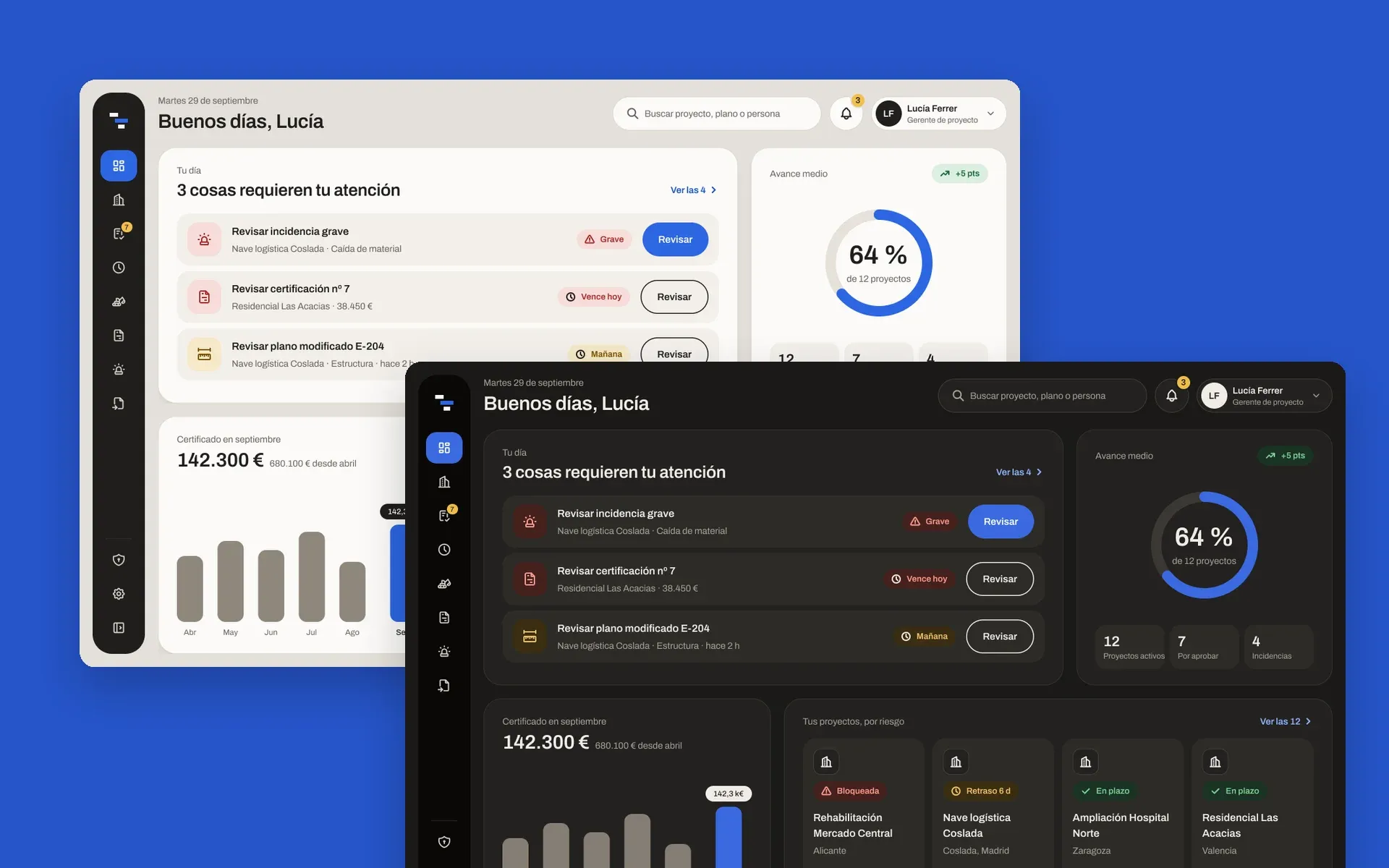
Design system for a construction management platform. 60 components, light and dark themes, mobile and three languages.
Individual
Summary
- Problem
- A construction company splits a project across eight different roles, and each one needs to see only its own part.
- What I did
- The navigation, the “Hormigón” design system and the main screens, on desktop and mobile.
- Outcome
- A system of 60 components the developer already uses to build the platform. There is no usage data yet.
Individual
Context
Sitework is a web platform for construction companies of 100 to 500 people. Eight roles use it, from project manager to site foreman, and permissions hide what a role can’t use: it is never shown disabled.
Individual
Research
I started from the client’s brief and from two documents I wrote before designing: the navigation and permissions structure, and the component plan.
Individual
Key decisions
Discarded
One color per type of notification
Chosen
Color shows status, never type
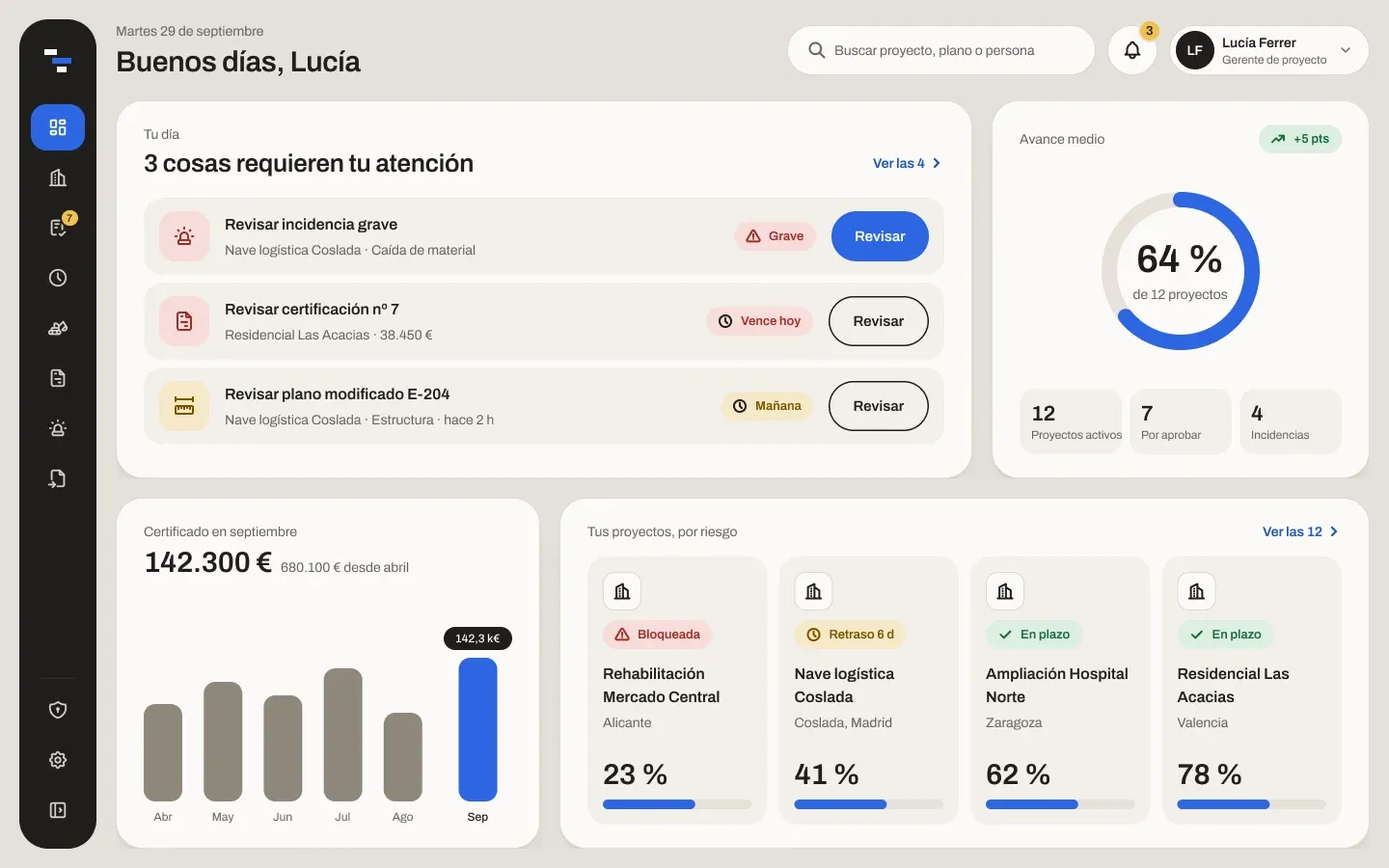
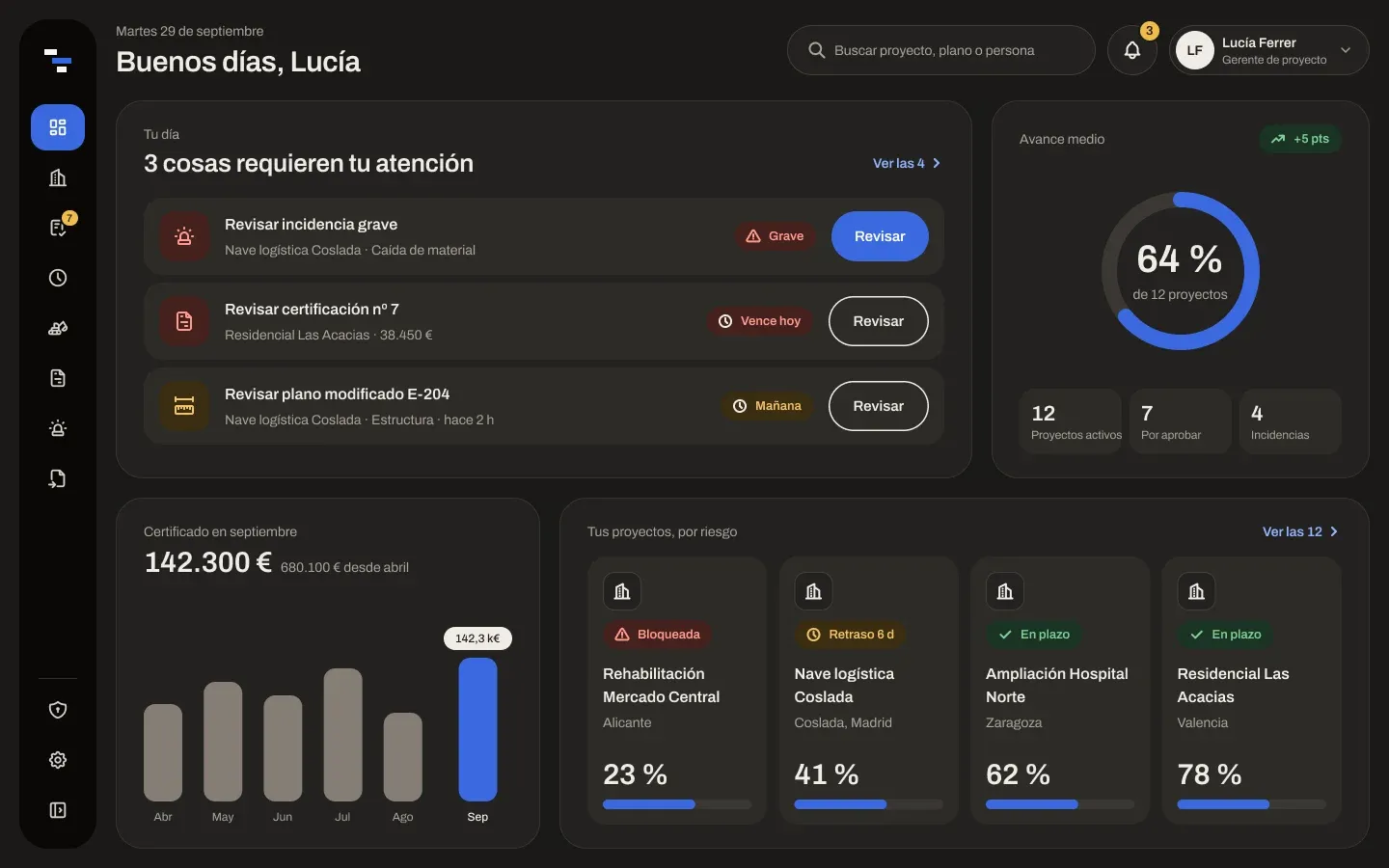
Red means today or serious, amber means tomorrow or delayed, and green means done. Blue is kept for actions.
Discarded
A menu that overlaps the content
Chosen
A menu that pushes the content and collapses to icons
On a screen full of tables and charts, covering data to navigate costs more than giving up a few pixels.
Discarded
Explain the system in meetings
Chosen
Written rules the developer's AI applies on its own
Each rule says when to use a component and when not to. The developer works with Claude Code, which reads the rules and applies them.
Individual
Solution
The people, projects and figures shown in the screens are made up.
Individual
Validation
The platform is still being built and has no customers using it yet. What is validated so far is technical: the contrast of every color pair, and that the Figma and code components match.
Individual
Learnings
- Setting up tokens before screens made the dark theme a mode switch, not a redesign.
- Writing the system’s rules forced me to decide things that stayed ambiguous in the drawings.